When an AI answer feels vague, the problem is not always the model or the wording of one prompt. Often, the context arrived as an unedited pile.
A project can scatter across notes, links, chat history, task lists, drafts, decisions, and repeated instructions. When all of that gets pasted into ChatGPT, Claude, Gemini, or another assistant at once, the important part has to compete with everything else.
The goal is not to create one giant permanent AI profile. It is to build the smallest useful context packet for the current job.
Start with the outcome, not the archive
Before collecting context, finish this sentence:
I want the assistant to help me ______.
The answer creates a filter. For example:
- decide between two launch messages
- turn meeting notes into follow-ups
- review a bug report against expected behavior
- rewrite a support reply without losing the facts
- summarize research into a short brief
A launch-message decision does not need your entire product history. A bug review does not need every customer note. The outcome tells you what belongs.
Separate four kinds of context
A useful packet usually contains some combination of four things:
1. The task
State what you want the assistant to produce, decide, check, or explain.
2. The facts
Include the source material, observations, constraints, decisions, or current state the answer must respect.
3. The working material
Add the draft, note, code, transcript excerpt, or research fragment the assistant should work on.
4. The response shape
Specify whether you want a recommendation, checklist, short reply, table, critique, or finished draft.
This separation makes missing context easier to notice. It also makes irrelevant context easier to remove.
Keep working text outside any one AI chat
Chat history is useful, but it is a poor master copy for project context. Decisions get buried, repeated instructions drift, and the useful source paragraph can disappear inside a long conversation.
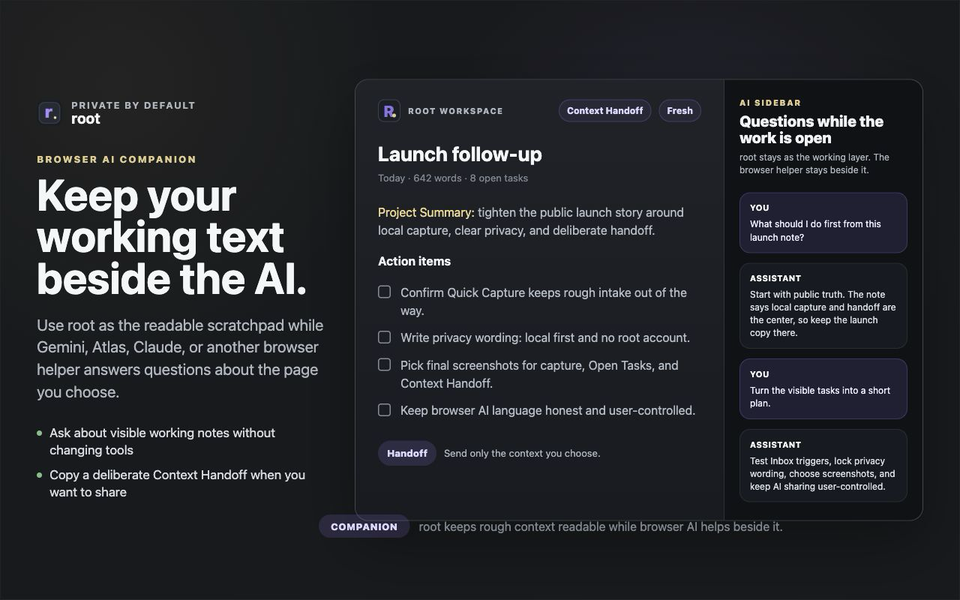
Keep your notes, decisions, links, task lines, reusable instructions, and drafts in a workspace you can read and edit directly. Then choose the relevant slice for each conversation.
Root calls this material working text: text that is active and useful but not necessarily ready to become a final document or permanent archive.
Build the packet in three passes
Pass 1: Gather
Select the current item, a few related notes, open tasks, or a project slice. At this stage, it is fine to include a little too much.
Pass 2: Cut
Remove anything that does not change the likely answer. Common cuts include:
- old versions that have been superseded
- background that does not affect the current decision
- repeated facts appearing in several notes
- private material the assistant does not need
- completed tasks unrelated to the request
Pass 3: Frame
Put the task and constraints before the source material. If you use the same response instructions repeatedly, keep them as a reusable snippet instead of rewriting them from memory every time.
Use Context Handoff as a boundary
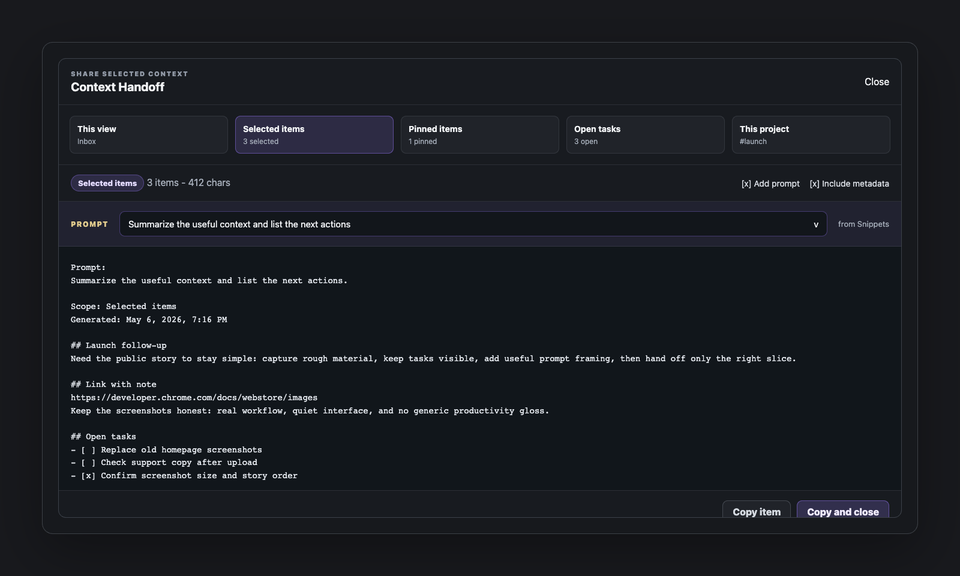
Context Handoff does not silently send a workspace to an AI service. It helps you select material, optionally add prompt framing, preview the resulting packet, and copy it when you decide it is ready.
That boundary is useful for quality and privacy:
- You can see exactly what is leaving the workspace.
- You can remove irrelevant metadata or notes.
- You can catch an outdated decision before it shapes the answer.
- You can keep private material out of the packet.
- You can use the same deliberate packet with the tool that fits the task.
A compact context template
Task
What I want help with:

Current facts
-
-

Working material
[paste the relevant draft, notes, or source excerpt]

Constraints
-
-

Response shape
[recommendation, checklist, rewrite, critique, table, or brief]
The template is intentionally small. Add detail only when it improves the answer.
What to do when the packet is still large
If the material genuinely needs to stay large, ask for staged work:
- Ask the assistant to identify the important facts and uncertainties.
- Review that interpretation before requesting the final output.
- Correct missing or mistaken assumptions.
- Then ask for the decision, draft, plan, or analysis.
This is usually more reliable than asking for synthesis, judgment, and polished writing in one step from a sprawling context dump.
The aim is not less context at any cost
Too little context creates guesses. Too much context hides the job. The useful amount is the smallest packet that preserves the facts, constraints, and working material needed for a good answer.
Keep the project memory readable. Share the relevant slice. Make the handoff deliberate.
For the shorter version of this idea, read Copy Less Context, Get Better AI Help. For reusable framing, see How to Build a Personal Prompt Library Without Making a Mess.