
1. Catch it
Open Draft
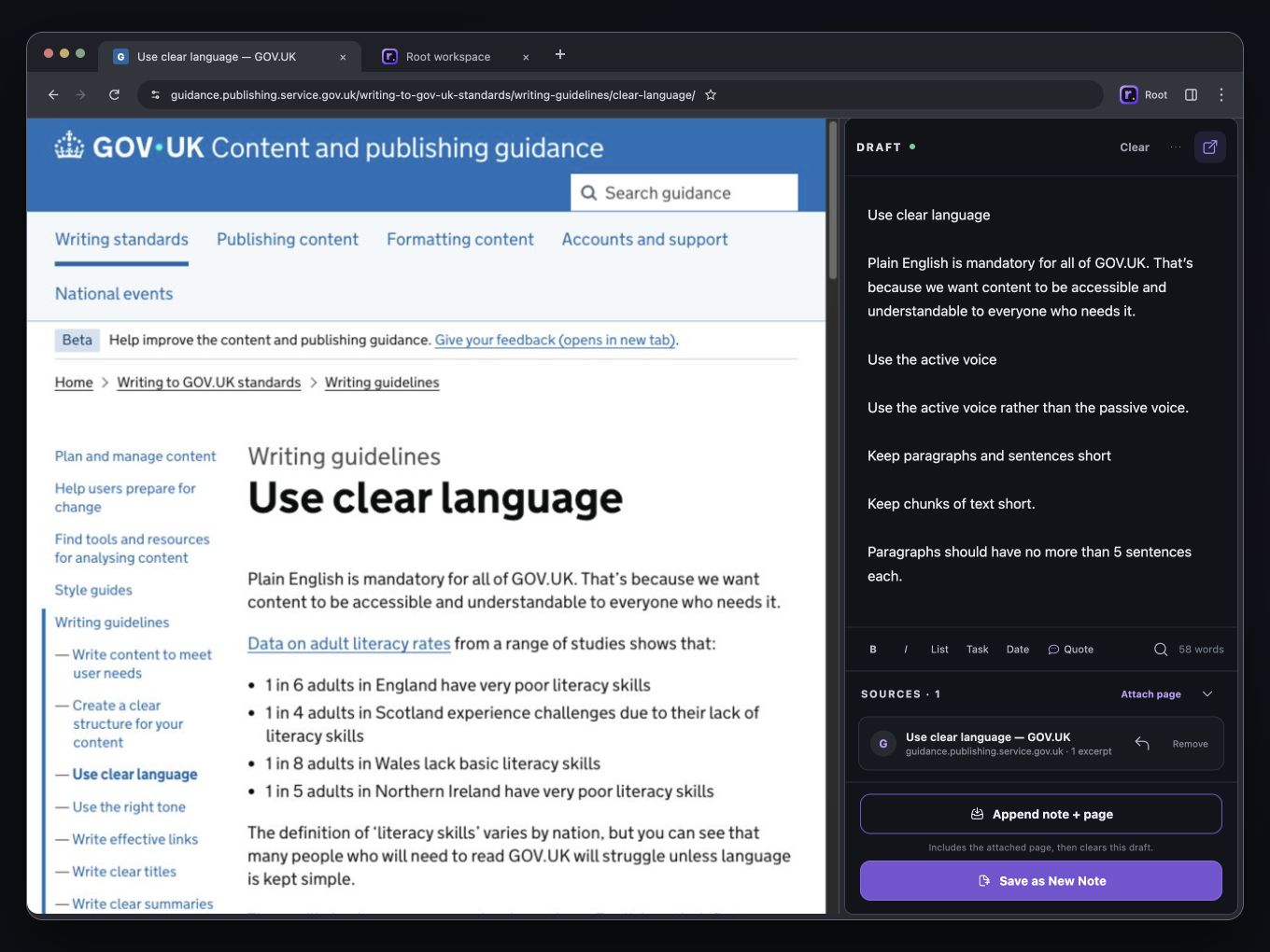
Choose Root from the Chrome toolbar to open a persistent writing surface beside the page you are already using.
Draft for Chrome
Draft stays open beside the pages you browse and saves automatically. Keep notes, quotes, findings, questions, and sources together, then save the draft as a note or send it to Inbox when it is ready.



The basic loop
Browser notes often arrive before you know whether they are a task, a useful quote, a research lead, a prompt, or the beginning of a document. Root calls that unfinished material working text. It is valuable, but it does not need a perfect folder or title yet.
1. Catch it
Choose Root from the Chrome toolbar to open a persistent writing surface beside the page you are already using.
2. Keep the source
Use Attach page, or right-click selected text, when the source explains why the note matters.
3. Choose a destination
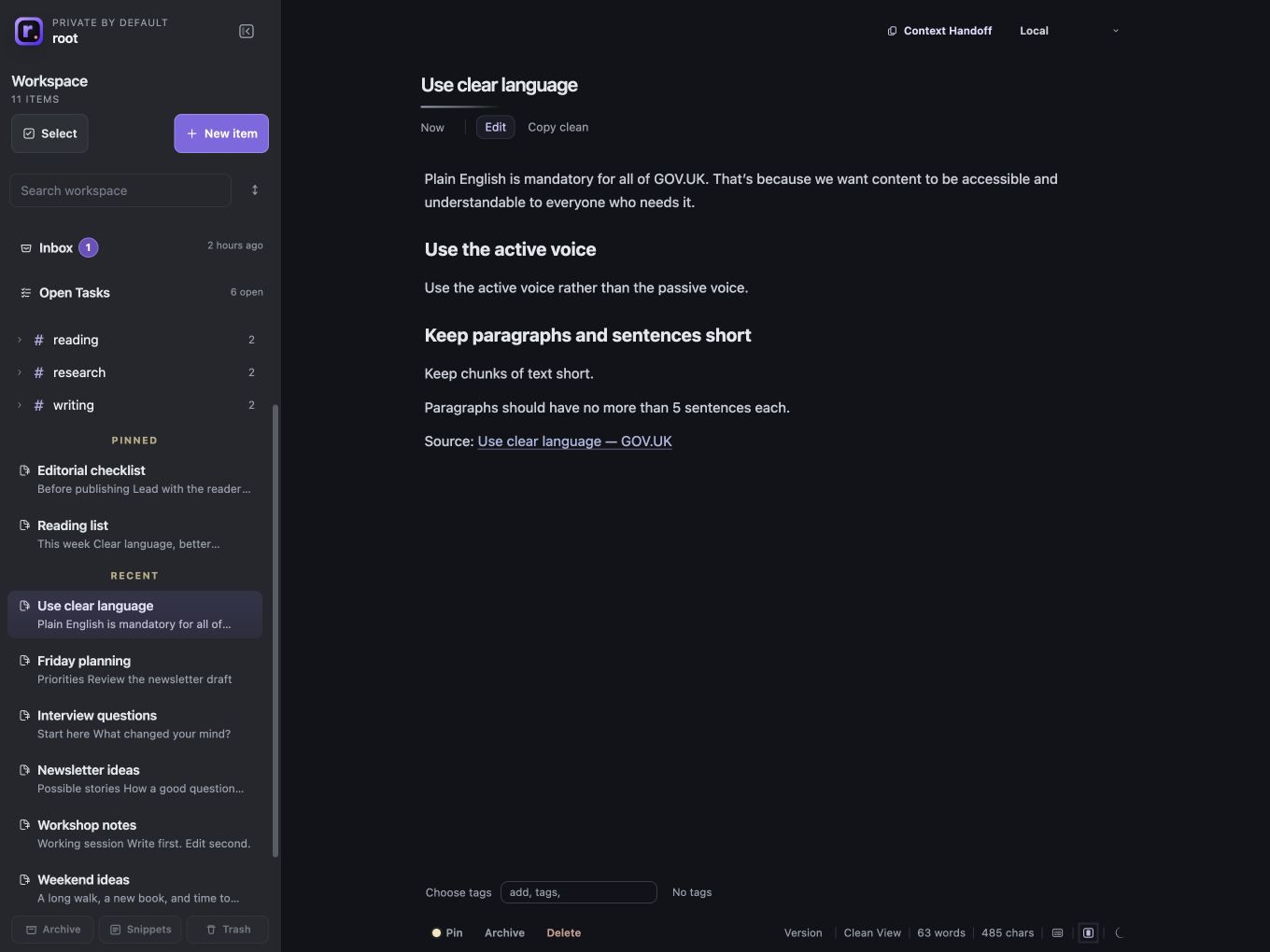
Save as New Note and keep the draft open, or append it to Inbox and start again with a clear writing surface.
4. Move it forward
Review notes, turn lines into open tasks, save repeatable text as Snippets, or prepare a deliberate Context Handoff.
Chrome 0.1.32 · Published October 15, 2026
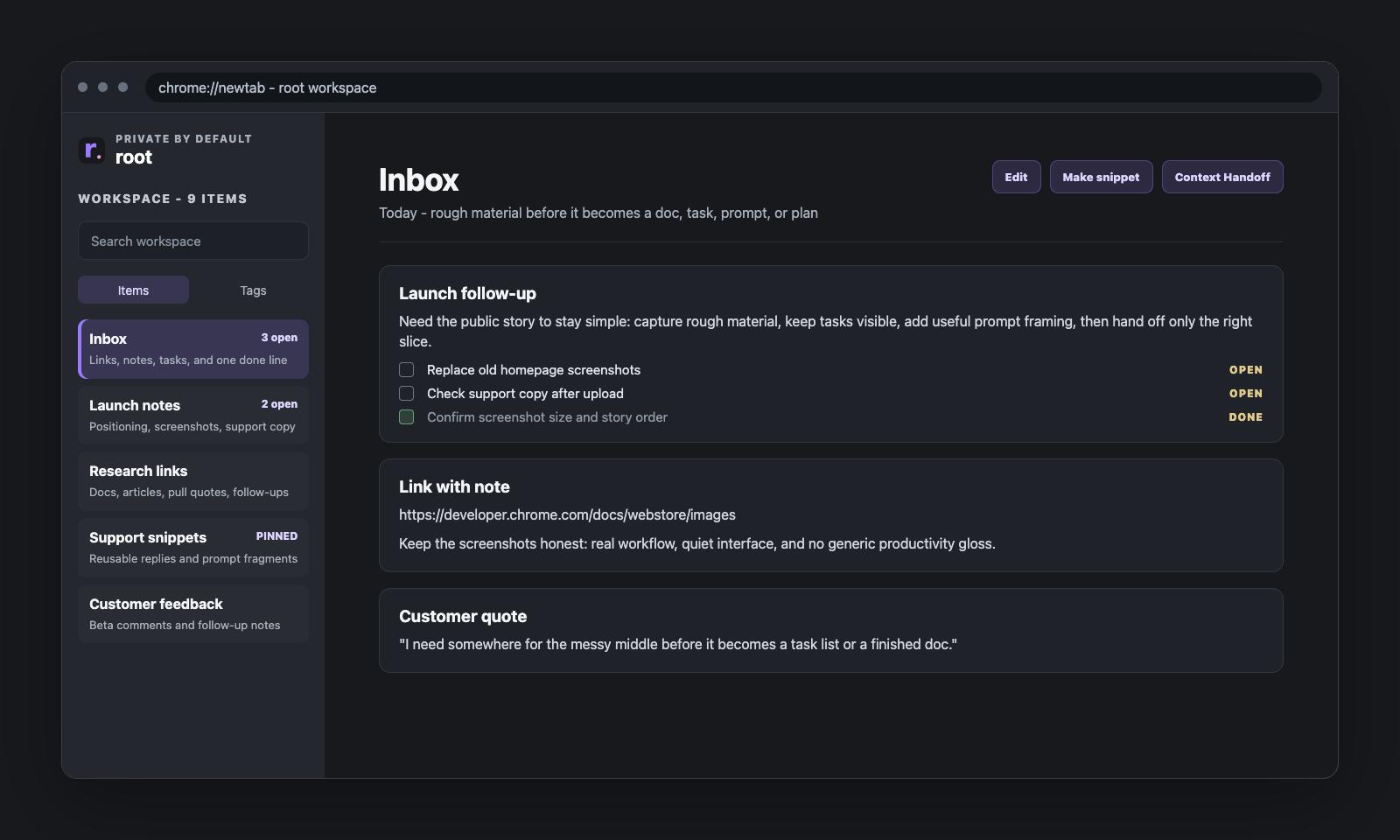
A blank notepad is fast, but captured text often becomes useful only after the first moment. Root keeps notes, links, task lines, and reusable fragments in one lightweight workspace so they can keep moving.
Expand tag groups in the sidebar and scan compact previews in Tags, Pinned, and Recent before opening a note.
New workspaces include three editable notes: about.md, AGENTS.md, and context.md. Use them for your profile, assistant instructions, and current context. Snippets remain available for text you reuse.
Context Handoff lets you select, preview, and frame the exact working text that should leave Root.
Private by default
Root keeps the Chrome workspace local by default and works without an iPhone, Google sign-in, or paid Root Connect. Copy, export, and Context Handoff are deliberate actions. If you choose Root Connect, Root uses a workspace file in your own Google Drive rather than a Root-hosted notes account.
Common uses
Try the first loop
Install Root, open Draft, attach a source if it helps, then save the draft as a note or send it to Inbox.